Showing posts with label SOA. Show all posts

Thursday, December 22, 2016

SOA 12c: Process Large Files Using Oracle MFT & File Adapter Chunked Read Option

SOA 12c adds a new ChunkedRead operation to the JCA File Adapter. Prior to this, users had to use a SynchRead operation and then edit the JCA file to achieve a "chunked read". In this blog, I will attempt to explain how to process a large file in chunks using the SOA File Adapter and some best practices around it. One of the major advantages of chunking large files is that it reduces the amount of data that is loaded in memory and makes efficient use of the translator resources.

"File Processing" means, reading, parsing and translating the file contents. If you just want to move/transfer a file consider using MFT for best performance, efficiency & scalability.

In this example, MFT gets a large customer records file from a remote SFTP location and sends it to SOA layer for further processing. MFT configuration is pretty straight-forward and is out of scope in this entry. For more info on Oracle MFT read here.

SOA 12c offers tight integration with Oracle MFT through the simple to use MFT adapter. If the MFT adapter is configured as a service, MFT can directly pass the file either inline or as a reference to the SOA process. If configured as a reference, it enables a SOA process to leverage MFT to transfer a file.

MFT also provides a bunch of useful file metadata info (target file name, directory, file size etc..) as part of the MFT header SOAP request.
Create a File Adapter:

Drag & drop a File adapter to the external references swimlane of our SOA composite. Follow instructions in the wizard to complete the configuration as shown below. Ensure that you choose the "Chunked Read" operation and define a chunk size - This will be the number of records in the file that will be read in each iteration. For eg., if you have 500 records with a chunk size of 100, the adapter would read the file in 5 chunks.


You will have to create an NXSD schema which can be generated with the sample flat file. The file adapter uses the NXSD to read the flat file and also convert it into XML format.

Implementing the BPEL Process:

Now, create a BPEL process using the BPEL 2.0 specification [This is the default option].
As a best practice, ensure the BPEL process is asynchronous - this will ensure that the "long running" BPEL process doesn't hog threads.

In this case, since we are receiving a file from MFT, we will choose "No Service" template to create a BPEL process with no interface. We will define this interface later with the MFT adapter.


Create MFT Adapter:

Drag and drop an MFT adapter to the "Exposed Services" swimlane of your SOA composite application, provide a name and choose "Service". Now, wire the MFT Adapter service and File Adapter reference to the BPEL process we created. Your SOA composite should look like below;


Processing large file in chunks:

In order to process the file in chunks, the BPEL process invoke that triggers the File Adapter must be placed within a while loop. During each iteration, the file adapter uses the property header values to determine where to start reading.

At a minimum, the following are the JCA adapter properties that must be set;

jca.file.FileName : Send/Receive file name. This property overrides the adapter configuration. Very handy property to set / get dynamic file names
jca.file.Directory : Send/Receive directory location. This property overrides the adapter configuration
jca.file.LineNumber : Set/Get line number from which the file adapter must start processing the native file
jca.file.ColumnNumber : Set/Get column number from which the file adapter must start processing the native file
jca.file.IsEOF : File adapter returns this property to indicate whether end-of-file has been reached or not

Apart from the above, there are 3 other properties that helps with error management & exception handling.

jca.file.IsMessageRejected : Returned by the file adapter if a message is rejected (non-conformance to the schema/not well formed)
jca.file.RejectionReason : Returned by the file adapter in conjunction with the above property. Reason for the message rejection
jca.file.NoDataFound : Returned by the file adapter if no data is found to be read

In the BPEL process "Invoke" activity, only jca.file.FileName and jca.file.Directory properies are available to choose from the properties tab. We will have to configure the other properties manually.

First, let's create a bunch of BPEL variables to hold these properties. For simplicity, just create all variables with a simple XSD string type.

Let's now configure the file adapter properties.

For input, we must first send filename, directory, line number and column number to the file adapter, so the first chunked read can happen. From the return properties (output), we will receive the new line number, column number, end-of-file properties which can be fed back to the adapter within a while loop.

Click on the "source" tab in the BPEL process and configure the following properties. Syntax shown below is for BPEL 2.0 spec, since we built the BPEL process based on BPEL 2.0.

Note: In BPEL 1.1 specification, the syntax was bpelx:inputProperties & bpelx:outputProperties.
Drag & drop an assign activity before the while loop to initialize the variables for the first time the file is read (first chunk) - since we know the first chunk of data will start at line 1 and column 1.

lineNumber -> 1
columnNumber -> 1
isEOF -> 'false'

For the while loop condition, the file adapter must be invoked until end-of-file is reached, enter the following loop condition;

Within the while loop, drag & drop another assign activity to re-assign file adapter properties.

returnIsEOF -> isEOF
returnLineNumber -> lineNumber
returnColumnNumber -> columnNumber

This will ensure that the in the next loop, file adapter would start fetching records from the previous end. For eg., If you have a file with 500 records with a chunk value of 100, returnLineNumber will have a value of 101 after the first loop is completed. This will ensure the file adapter starts reading the file from line number 101 instead of starting over.

Your BPEL process must look like this;

We now have the BPEL process that receives file reference from MFT, reads the large file in chunks.

Further processing like data shaping, transformation can be done from within the while loop.

Monday, September 19, 2016

Learner Series: Dynamically load XSL templates

I received a few requests from readers on how to dynamically load XSLT stylesheets in SOA 11g/12c.

This usecase finds importance when you have the following;

  • You have one input source (master data) and multiple destinations each of which receives the same data in different formats
  • Your destination requires minor changes on the data being sent and you don't want to redeploy the whole process causing downtime to other systems
  • You have dynamic partnerlinks to connect to multiple targets each of those targets expect data in a certain format

We will leverage SOA-MDS to store and retrieve our XSL stylesheets dynamically at runtime.

Step 1: Develop your XSLT mappings and test them before you persist them on MDS
Ref: learn how to use MDS in 11g/12c

Once you have your stylesheets in MDS, you can reference them from within your BPEL process using the oramds:/ protocol

Step 2: You don't need to use the "Transform" activity in your BPEL. Use either of the following BPEL XPath Extension Functions to load and process your XSL stylesheets within your "Assign" activity.

ora:processXSLT()
ora:doXSLTransformForDoc()

For example, ora:processXSLT('oramds:/apps/stylesheets/xformOrder.xsl', $inputVariable.payload)

You can further parameterize this expression by using a DVM to store the XSL references and use dvm:lookup to get the first parameter - XML template location.

Sunday, September 11, 2016

Smart Connect Modern Enterprise Apps & SaaS w/ Oracle iPaaS

Modern enterprise systems stretch from ground to the cloud and everything in between.
With plethora of diverse SaaS applications combined with existing home grown/legacy on-premise applications - each promising to solve a specific business problem, the integration problem has just got complicated.

IDC predicts that by 2018, SaaS-based enterprise applications would generate over $50 billion in revenue resulting in more than 27% of enterprise apps running on cloud.

Enterprises must equip themselves to embrace this change to integrate, secure and manage their "extended" enterprise on cloud.

Most traditional integration solutions have 2 shortcomings;
One, they require considerable DevOps efforts - think development, deployment, maintenance etc..
Two, they aren't built ground-up for SaaS integrations - lack of SaaS adapters, network latencies, firewall pinholes for SaaS connectivity etc..

Hence the need for an iPaaS - Integration Platform as a Service. For any iPaaS solution to be successful, there are 3 important considerations that enterprise architects must account for;

  1. Ease of Use
  2. Time to Market &
  3. Deployment Choice

1. Ease of Use:

A cloud solution's first deliverable to business must be "Simplifying IT" and bringing IT closer to business. Oracle Integration Cloud Platform (ICS) is built for "citizen developers" and hence truly offers a "zero code" integration platform. This is a huge advantage for business and IT alike, as all technology complexities are hidden away. This means; there is no new technology to learn / ramp-up, no skill-gaps to fill, quicker turn-around times...

Oracle ICS also features a pattern-driven integration model with a bunch of common integration patterns to choose from, for a variety of integration needs including pub-sub, straight-on data mapping, orchestration etc.. all delivered just over a browser. No IDE, No installation & Zero Code.

2. Time to Market:

A huge impediment to any project plan is "TTM" delays that concerns the business.

Even for some of my customers who are on the bleeding edge of technology find it pragmatically difficult to staff, develop, administrate & manage their integration projects - partly owing to changing trends in technology but mostly because their DevOps can't scale to handle business demands. For instance, in the last 6-9 months, their sales department has bought into salesforce.com, HR moved to Fusion HCM cloud and Marketing is automating campaings on Eloqua. All of these are strategic initiatives driven by the line of business which offers feature-rich enterprise applications with lesser dependency on IT Ops at least to manage & maintain them.

However, care must be taken not to build silo'ed SaaS applications - there must be a robust integration platform to connect SaaS with On-prem systems without the complexities of a traditional middleware. Oracle ICS was architected ground-up with "Time to Market" as its principle goal. Integrations that typically take a few months can be up & running in a few days.

This is made possible with the ever-growing list of feature-rich SaaS, Apps and Technology adapters built for cloud, pre-built integrations and smart recommendations.

3. Deployment Choice:

Another integration decision is the "Integration Center of Gravity" which defines where the integration can be run for best performance. Let's say we want to connect 2 SaaS applications - does it make sense to run the integration on-prem behind your enterprise firewall? probably not. On the contrary, if you want to integrate 2 on-prem systems but still like to leverage the advantages that Oracle ICS offers, you have the flexibility to run ICS on-prem within your datacenter.

Oracle ICS is a truly hybrid iPaaS providing full deployment choice whether you want to run your integration platform on cloud or on ground.

Thursday, September 8, 2016

Learner Series: SOA 12c Share Resources easily using MDS

SOA 12c has simplified the way developers leverage the MDS capabilities.

Developers still have the 11g way of deploying "SOA Bundle" archives to MDS described here.
But if you are on SOA 12c, you get a simpler option.

Once you install SOA 12c quickstart, you get a file-based SOA DesignTime MDS Repository by default. You can choose where to host your MDS root.

Under the Resources window in JDeveloper, expand SOA-MDS IDE connection. You must have a default SOA_DesignTimeRepository. Go to properties and set your MDS root folder.


You can copy your resources that you want to reuse/share to your MDS root folder and reference them within your SOA composite by using the oramds:/ protocol. eg., oramds:/apps/xsd/employee.xsd

Now to create a runtime MDS repository, first create a DB MDS connection to your SOA instance using your prefix_MDS schema [prefix is what you specified during RCU config].

From the Resources window -> IDE connection panel, right click SOA-MDS and create a new SOA-MDS connection. Provide a unique connection name, choose Connection type as "DB Based MDS", select the MDS connection created above and choose the "soa-infra" partition.

Note: SOA quickstart by default uses Java derby database (no DB MDS capabilities). You must either have a compact domain installation or a full-fledged SOA installation (your staging / test / production server).

To deploy the design time MDS (file-based) resources to DB based runtime MDS repository, right click on the design time repository and choose Transfer. The wizard will prompt you for the runtime MDS to which the resources must be transferred to. Choose the resources you need to transfer and your DB MDS connection and click on Transfer.

Friday, July 29, 2016

Learner Series: Handling Dynamic Arrays in SOA 12c (BPEL 2.0)

Dynamic arrays are always tricky to handle within a BPEL process. Every now and then we encounter XML schemas that have generic name-value pair arrays that are unbounded. The challenge is assigning data to and from these dynamic arrays as there are no concrete XML target elements at runtime. Hence, the XML elements must be generated first before assigning values to them.

There are multiple ways this problem can be solved.

For one, you can choose XSLT over a simple assign. XSLT wields more granular control over how the XML elements are handled. You can instruct the XSL processor to loop over dynamic array list and assign values. This of course requires some level of XSLT skill (Although JDeveloper presents an easy XSL mapper, I prefer fiddling with the source) and in certain cases, you may have to pass some BPEL variables (properties) to XSLT in additions to the source and target variables.

Second option would be to use an XML literal (called XML fragment in BPEL 1.1) within your assign activity. Here you can pre-form the XML literal, assign it to the target and then map the values. Not so sophisticated and if you are not careful with namespaces, this could cause a lot of mapping troubles.

Thirdly, with BPEL 2.0 you can simply add an attribute to your copy action in your assign activity to achieve the same. Most simplest of all.

Since this is a learner series, let's get into some details on how to go about this;

Let's first understand the root-cause of the error;

The problem with assigning dynamic arrays within BPEL is that, for the first element in the array, since the XML element is always "available", the copy happens successfully.
However, starting with the second element, all copy rules within assign would fail due to a "selection failure" with the following error because the dynamic array XML elements are still not formed or is empty.

"Exception is thrown because the to-spec at line 140 is evaluated to be empty"
or
"Exception is thrown because the from-spec at line 160 is evaluated to be empty"

depending on whether you are trying to copy to a target or copy from a source.

Your XML schema containing dynamic array may look something like this;


Your typical assign would like the following - you will have to manually let BPEL know which element the values must be mapped - [1], [2], [3] .... [n]. Just append this to your root XML element which contains the dynamic array. In this case;


Now, starting with the second copy rule within your assign, right-click on the rule item and select "ignoreMissingFromData" or "insertMissingToData" depending on whether your dynamic array is being read or written to respectively.


This action would add a flag (attribute) to the copy rule instructing BPEL to handle the dynamic XML element - either ignore or insert.

<copy bpelx:insertMissingToData="yes">
or
<copy bpelx:ignoreMissingFromData="yes">

Happy BPELing...

Saturday, January 24, 2015

Oracle MFT - The Managed File Transfer

With the 12c release for Fusion Middleware, Oracle released the long-awaited, feature-rich managed file transfer solution titled Oracle MFT. At the outset, some key value propositions of this product are;

  1. Extremely Simple to use, build & configure
  2. End-to-End visibility on file transfers
  3. As with any other Oracle FMW stack of products, seamless integration options
  4. High Availability MFT (leveraging WebLogic capabilities)
  5. Highly Secure (Leverage WLS OPSS instead of typical FTP OS layer security)
  6. OOTB embedded FTP & sFTP servers (Those of you looking to consolidate on ever increasing FTP & sFTP servers in your enterprise...)
  7. Automate File Transfers using the built-in Enterprise Scheduler Service (ESS)
  8. Transfer very large files (pass-by-reference) - limited only by disk space and network speed
  9. Fan-out, chaining and custom callouts

Having worked with quite a few customers on this new Oracle technology, I can certainly tell that these features have generated a huge interest. Prior to Oracle MFT, it was really hard to find a product that could achieve all of the above requirements...

Let's delve little deep into these points...

Extreme Simplicity

No IDE to design/configure transfers.
Business user friendly unified web-based, highly intuitive graphical interface for design, monitoring & administration of all your file transfers.
Zero learning curve.

To create a transfer -> Just create your source and target - drag & drop them in the transfer canvas. You are good to go !! Incredibly, it's that simple...

Free-up developers: really? Yes.
How many times have you configured the cumbersome back-end scheduler jobs?
How many technical resources you hired/trained on various scripting languages just to manage and handle file transfers?
End-to-End Visibility

MFT console offers out-of-the-box monitoring dashboards with drill-down capabilities. Users can monitor overall file transfer metrics such as;

  • Most Active Transfers
  • Average, Min & Max Payload size, Transfer Speeds & Transfer Time
  • Recent Errors/Failure Ratio
  • Advanced File Search - based on file name, date, user, status etc..


You can also monitor a single file transfer instance graphically with fine grained details on the transfer. Additionally, Oracle MFT provides "Resubmit" option where users can resubmit a file transfer from various stages (Source, Transfer or Target).

Extensibility

Oracle MFT provides OOTB integration with the following source/target types in the current release. Obviously many more are coming in...
  • FTP Embedded (Read/Write from/to the embedded FTP server)
  • sFTP Embedded (Read/Write from/to the embedded sFTP server)
  • FTP Remote (Read/Write from/to a remote FTP server)
  • sFTP Remote (Read/Write from/to a remote sFTP server)
  • File (Read/Write from/to the shared file storage)
  • SOAP (Send/Receive to/from a SOAP based web service)
  • SOA (Send/Receive to/from a SOA composite) - SOA 12c provides an MFT adapter. Optionally, you can also connect to a SOA/OSB 11g instance through webservice
  • Service Bus (Send/Receive to/from an OSB proxy/business service)
  • B2B (Connect to a B2B with MFT as a channel)
  • Healthcare (Connect to Healthcare HL7)
  • ODI (Connect to Oracle Data Integrator)


High Availability

Oracle MFT runs on Oracle WebLogic 12c and can be clustered. This provides organizations with an HA MFT capability. Oracle MFT also ships with an MFT proxy server that resides outside the firewall to redirect external requests.

Highly Secure

Since MFT runs on WebLogic, it leverages Oracle WebLogic OPSS.
What this means is that: all your FTP/sFTP users in your LDAP can now connect to MFT (obviously the access rights can be managed through the MFT console).

In stark contrasts to traditional FTP/sFTP servers, you don't have to create OS level users & manage access privileges. Optionally, for each transfer, you can configure Oracle MFT to allow access to payload only to specific users/groups.

In additions to these capabilities, users can leverage out-of-the-box compression, decompression, PGP encyption & decryption capabilities of Oracle MFT.

Consolidation

Many customers have very less control on FTP & sFTP server proliferation across their enterprise. More often than not, IT doesn't have full control / visibility on administration & management of the FTP servers. Oracle MFT with its embedded FTP & sFTP server clearly helps with consolidation of FTP/sFTP servers.

This not only reduces TCO tangibly, but also brings down significant costs associated with administration/management efforts.

Automate & Schedule Transfers

How many scheduling software tools do you have in your enterprise?
How difficult is it to integrate your scheduler with file transfers?
How much time & effort does your IT/development spend in configuring/scripting of scheduler services?
How much visibility does it offer?

And,

What if; you have one comprehensive & highly customizable enterprise scheduler service which is tightly integrated with all your file transfers, is extremely easy to configure/schedule through GUI and provides end-to-end visibility through a console?

With Oracle Enterprise Scheduler Service (ESS) now being a first-class citizen & tightly integrated, Oracle MFT just does that.

Large File Transfers

Oracle MFT supports file pass-by-reference. This means that your SOAP services do not have to pass file to your webservice inline if it beyond a certain size - configurable while designing the transfer. Oracle MFT also provides out-of-the-box compression & decompression capabilities. Using custom actions you can also batch/de-batch large files for fast processing.

Fan-out, Chaining & custom callout

Oracle MFT supports fan-out: which means it can send files to multiple targets simultaneously. Also another cool feature if MFT process chaining. You can chain multiple MFT transfers where one MFT transfer can be another MFT's source.

Additionally, Oracle MFT also supports custom callouts. This allows POJOs to be executed at source and target (pre/post process).

Ready for a happy file transfer with Oracle MFT? Let me know your feedback in the comments section :)

Friday, May 30, 2014

Installing OER 11g on an existing SOA 11g domain

In this blog post, I will provide detailed step-by-step instructions to install OER 11g (11.1.1.7) on an existing SOA domain.

Pre-Requisites: SOA 11g installed and domain configured. I used 11.1.1.7 version (latest version as on date of writing this post)

You can choose to have a single server install where AdminServer doubles up as SOA server or have 2 managed servers (Admin & SOA) on your domain. You will have to install OER as a separate managed server. I personally couldn't succeed with a OER single server install (Admin + SOA + OER on the same managed server).

Installing OER 11.1.1.7

Step 1: Connect to the database on your server as SYS user and execute the following scripts. This step is an important pre-requisite as it creates the tablespace and schema to store OER asset/artifact metadata

Note: Ensure that the path to DATAFILE parameter exists

Create Tablespaces:

CREATE TABLESPACE OER_DATA
    DATAFILE '/u01/app/oracle/oradata/XE/oer_data.dbf' SIZE 300M
 AUTOEXTEND ON NEXT 10240K MAXSIZE UNLIMITED
    EXTENT MANAGEMENT LOCAL AUTOALLOCATE
    LOGGING
    ONLINE
    SEGMENT SPACE MANAGEMENT AUTO;

CREATE TABLESPACE OER_LOB
    DATAFILE '/u01/app/oracle/oradata/XE/oer_lob.dbf' SIZE 300M
 AUTOEXTEND ON NEXT 10240K MAXSIZE UNLIMITED
    EXTENT MANAGEMENT LOCAL AUTOALLOCATE
    LOGGING
    ONLINE
    SEGMENT SPACE MANAGEMENT AUTO;

CREATE TABLESPACE OER_INDEX
    DATAFILE '/u01/app/oracle/oradata/XE/oer_index.dbf' SIZE 300M
 AUTOEXTEND ON NEXT 5120K MAXSIZE UNLIMITED
    EXTENT MANAGEMENT LOCAL AUTOALLOCATE
    LOGGING
    ONLINE
    SEGMENT SPACE MANAGEMENT AUTO;

Create OER Schema:
  
CREATE USER OER IDENTIFIED BY OER_PWD
DEFAULT TABLESPACE OER_DATA
TEMPORARY TABLESPACE TEMP;

Apply Grants:

GRANT CREATE MATERIALIZED VIEW TO OER;
GRANT CREATE SEQUENCE TO OER;
GRANT CREATE SESSION TO OER;
GRANT CREATE SYNONYM TO OER;
GRANT CREATE TABLE TO OER;
GRANT CREATE TRIGGER TO OER;
GRANT CREATE VIEW TO OER;
GRANT UNLIMITED TABLESPACE TO OER;

Step 2:
Download the appropriate installer for your server. If you are on a 64-bit machine, irrespective of whether it is Windows or Linux, you can choose to download the generic installer.

Unzip the ofm_oer_generic_11.1.1.7.0_disk1_1of1.zip file into a server location

Step 3:
Ensure java is on your environment PATH variable and execute the following command

java -D64 -jar OER111170_generic.jar

Step 4:
In the welcome screen of the OER installer, click Next

Step 5:
Choose your existing FMW home (in this case your home directory where SOA is installed - Since we are installing OER on the same domain as SOA) and click Next

Step 6:
Validate the Oracle Enterprise Repository install location and click Next

Step 7:
Choose WebLogic Server 11 in the "Choose Application Server" dialog and click Next

Step 8:
In the "Initialize Repository Properties" screen, enter the following values and click Next

OER managed server port number: 7101 (default, but you can choose to change it here)
Fully qualified server name: Enter the fully qualified server hostname
Repository application name: oer


Step 9:
In the "Configure Database" screen, choose Yes to configure the database for OER and click Next

Step 10:
Enter the following values in the "Provide Database Tablespace Names" screen

Data tablespace: oer_data
BLOB tablespace: oer_lob
Index tablespace: oer_index

Step 11:
In the "Initialize Repository Database Properties" browse for the ojdbc6.jar driver file - This file can be found at the database installation location: <DB_Home>/jdbc/lib

Provide the DBMS (SID) name, host, port and OER username and password and click Next

Step 12:
You must now see a successful installation message.

Extend SOA Domain to host OER

Step 13:
Go to <Middleware_Home>/wlserver_10.3/common/bin and execute config.sh
./config.sh

Step 14:
In the "Configuration Wizard" home screen, choose the option "Extend an existing WebLogic domain" and click Next


Step 15:
Choose your WebLogic domain where SOA suite is installed

Step 16:
Scroll down the list of products, select Oracle Enterprise Repository - 11.1.1.7.0 from the list and click Next

Step 17:
Leave defaults and click Next in the following screens until you reach the "Select Optional Configuration" page

Step 18:
In the "Select Optional Configuration" screen, select "Managed Servers, Clusters and Machines" option and click Next

Step 19:
Leave defaults in the following screens and in the Configuration Summary page, click on "Extend"

You must see "Domain Extension Applied Successfully" message

Now that your domain has been extended, the domain configuration corrupts a few configuration settings that prevents a successful server startup. Follow the instructions below to get OER started successfully.

Observation 1:

I observed that the UMSJMSSystemResource-jms.xml presents duplicate entries which prevents a successful server startup. To resolve this, go to <Domain_Home>/config/jms folder and check and remove the duplicate entries as highlighted below. [Note: Take a backup of this file]

<queue name="OraSDPM/Queues/OraSDPMEngineCmdQ_auto_3">
    <sub-deployment-name>UMSJMSServer505614749</sub-deployment-name>
    <jndi-name>OraSDPM/Queues/OraSDPMEngineCmdQ</jndi-name>
  </queue>
  <queue name="OraSDPM/Queues/OraSDPMEngineSndQ1_auto_3">
    <sub-deployment-name>UMSJMSServer505614749</sub-deployment-name>
    <jndi-name>OraSDPM/Queues/OraSDPMEngineSndQ1</jndi-name>
  </queue>
  <queue name="OraSDPM/Queues/OraSDPMEngineRcvQ1_auto_3">
    <sub-deployment-name>UMSJMSServer505614749</sub-deployment-name>
    <jndi-name>OraSDPM/Queues/OraSDPMEngineRcvQ1</jndi-name>
  </queue>
  <queue name="OraSDPM/Queues/OraSDPMDriverDefSndQ1_auto_3">
    <sub-deployment-name>UMSJMSServer505614749</sub-deployment-name>
    <jndi-name>OraSDPM/Queues/OraSDPMDriverDefSndQ1</jndi-name>
  </queue>
  <queue name="OraSDPM/Queues/OraSDPMAppDefRcvQ1_auto_3">
    <sub-deployment-name>UMSJMSServer505614749</sub-deployment-name>
    <jndi-name>OraSDPM/Queues/OraSDPMAppDefRcvQ1</jndi-name>
  </queue>
  <queue name="OraSDPM/Queues/OraSDPMWSRcvQ1_auto_3">
    <sub-deployment-name>UMSJMSServer505614749</sub-deployment-name>
    <jndi-name>OraSDPM/Queues/OraSDPMWSRcvQ1</jndi-name>
</queue>

Observation 2:

The memory setting of your SOA domain would be affected because the setOERDomainEnv.sh script gets called every time. Sophisticated way of handling this would be at the setSOADomainEnv.sh where you can validate the $SERVER_NAME and configure the USER_MEM_ARGS for each Managed Server appropriately. Else, just increase the USER_MEM_ARGS in the setOERDomainEnv.sh script.

Now, you are all set to start your OER server and start SOA Governance !!

Saturday, March 1, 2014

JDeveloper Deployment to SSL Configured WebLogic (SSL Handshake Failure)

If you have configured SSL keystore on your WebLogic application server, you might face SSL Handshake error while trying to deploy any application from Oracle JDeveloper.

To overcome this issue, download the SSL certificate and import it to your JDeveloper java keystore.

1. Open your browser and establish an SSL connection to your server. For eg., https://hostname:port/console

2. Click on the green padlock sign -> Connection tab and click on Certificate Information

3. In the Certificate dialog, click on "Copy to File.."

4. In the resulting "Certificate Export Wizard", choose Next


5. Leave the default selection (DER encoded binary X.509) and click Next

6. Provide a filename where the certificate file will be exported and saved

Import certificate into the Java keystore: [Ensure that this is the java that JDeveloper points at]

1. Open command prompt, go to <Java_Home>\jre\bin

2. Issue the following command to import the server SSL certificate to java keystore for successful handshake;

keytool -import -v -file C:\Temp\root.cer -keypass password -keystore C:\Java\jdk6u33\jre\lib\security\cacerts -alias mykey

3. When prompted, provide the keystore password [Default password is changeit]

Voila, now you are all set to deploy applications from JDeveloper !!

OSR on OER/SOA/OSB domain - QName violates loader constraints

Recently i had installed OSR on the same domain where my SOA, OSB and OER co-exists. While starting the OSR managed server, I faced the following error;

<Error> <HTTP> <soabpm-vm.site> <osr_server1> <[ACTIVE] ExecuteThread: '0' for queue: 'weblogic.kernel.Default (self-tuning)'> <<WLS Kernel>>
<BEA-101017> <[ServletContext@470316600[app:registry module:registry.war path:/registry spec-version:null]] Root cause of ServletException.
java.lang.LinkageError: Class javax/xml/namespace/QName violates loader constraints
at com.idoox.wsdl.extensions.PopulatedExtensionRegistry.(PopulatedExtensionRegistry.java:84)
at com.idoox.wsdl.factory.WSDLFactoryImpl.newDefinition(WSDLFactoryImpl.java:61)
at com.idoox.wsdl.xml.WSDLReaderImpl.parseDefinitions(WSDLReaderImpl.java:419)
at com.idoox.wsdl.xml.WSDLReaderImpl.readWSDL(WSDLReaderImpl.java:309)
at com.idoox.wsdl.xml.WSDLReaderImpl.readWSDL(WSDLReaderImpl.java:272)
at com.idoox.wsdl.xml.WSDLReaderImpl.readWSDL(WSDLReaderImpl.java:198)
at com.idoox.wsdl.util.WSDLUtil.readWSDL(WSDLUtil.java:126)

This blog here helped me get rid of the error.

Saturday, February 8, 2014

BPM Workspace/Composer Login Error ORABPEL-10585

If you are facing trouble logging into BPM workspace or composer, this post could help save you some time.

First check if the error message in your SOA managed server diagnostic log after the failed login is the following;

javax.security.auth.login.LoginException: Operation exception.
at oracle.bpm.papi.ora.mgr.OrganizationManager.lookupParticipant(OrganizationManager.java:61)
at oracle.bpm.papi.ora.mgr.OrganizationManager.lookupParticipant(OrganizationManager.java:41)
..........
..........
Caused by: fuego.papi.OperationException: Operation exception.
... 69 more
Caused by: ORABPEL-10585

Service error.
Internal Error; Service error occurs in IdentityService in method lookupUser.
Refer to the log file that is configured for oracle.soa.services.identity for more details on this error and contact Oracle Support Services

If this is not the error in your logs, you may look at the blog post here for other options to see if that helps resolve your problem.

Now, let us look at the fix.

1. Login to the EM (Enterprise Manager) console
2. Expand SOA and Right click on soa-infra
3. Goto Administration -> System MBean Browser
4. Minimize the tree structure (com.bea) to view Application Defined MBeans section
5. Expand oracle.as.soainfra.config -
> Server:SOAServerName -> SoaInfraConfig
6. Select soa-infra
7. Update the property ServerURL with a valid URL [Ensure that the hostname here matches your environment hostname. Tip: It should be same as the front end host]

eg., http://hostname:port
8. Click on Apply


Restart your SOA managed server. You should now be able to successfully login to your BPM Workspace or Composer

Friday, November 22, 2013

Oracle SOA 11g HTTP POST Send/Receive (with example)

In this post let us see how to send and consume HTTP POST request using SOA 11g.

Sample attached with this post will send a file in base64encoded format as a HTTP POST request and the same will be consumed by another BPEL process which is exposed to consume the file in HTTP protocol.

We will use the following XML schema (XSD) to build our HTTP POST service;
Exposing a SOA 11g BPEL process as a HTTP service (POST):

Step 1: Create a SOA Project with empty composite and name it "HttpPostRestService"

Step 2: Drag and Drop a HTTP Binding adapter on the "Exposed Services" swimlane in the SOA composite (SCA)

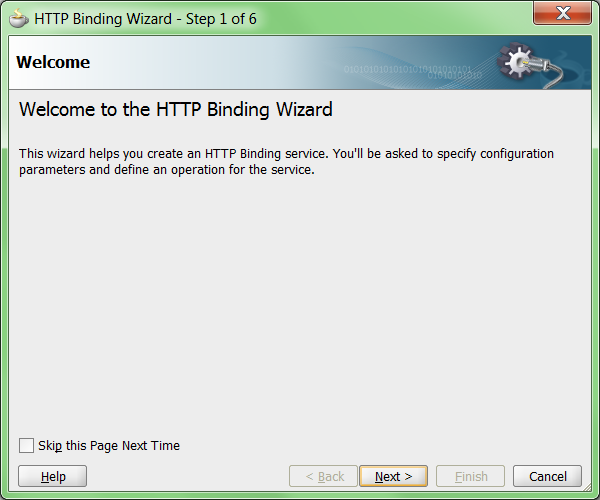
Step 3: Choose Next in the Welcome page of the wizard


Step 4: Enter service name

Step 5: Choose "Define from operation and schema (specified later)" option

Step 6: Choose the following options and click Next

Type: Service [You will choose "Reference" if you need to consume a HTTP REST service]
Operation Type: Request-Response [For 2-way communication. Choose One-way if the service doesn't return a response]
Operation Name: Defaults to Request-Response [You can change it as you please]
Verb: POST [This specifies the HTTP method. You have 2 options GET/POST]
Payload Type: XML [For HTTP POST, you get 2 options url-encoded and XML. Since our payload will be huge, url-encoded will not make sense due to size restrictions]


Step 7: In the Messages dialog, select the RestPost.xsd, <Input> and <Response> XML elements for "Request Message Schema" & "Response Message Schema" respectively.

Step 8: In the summary page, click "Finish" to complete service

Now that we have completed the HTTP binding service adapter which will expose the SOA 11g BPEL process as a HTTP service, you can choose to build a BPEL process which will consume the POST message for further processing.

Deploy the completed process and obtain the HTTP service URL from EM console. We will invoke this service from another SOA composite.

Consuming a HTTP (POST) service in SOA 11g BPEL process:

Step 1: Create a SOA Project with empty composite and name it "InvokeHttpPostService"

Step 2: Drag and Drop a HTTP Binding adapter on to the "External References" swimlane in the SOA composite (SCA)

Step 3: Choose Next in the Welcome page of the wizard


Step 4: Enter service name

Step 5: Choose "Define from operation and schema (specified later)" option

Step 6: Choose the following options and click Next

Type: Reference [Since we are consuming a HTTP service - POST]
Operation Type: Request-Response [Default selection for references]
Operation Name: Request-Response [Default]
Verb: POST [This specifies the HTTP method that will be invoked]
Payload Type: XML
Endpoint: Provide the HTTP URL for the REST service to be invoked.


Step 7: In the Messages dialog, select the RestPost.xsd, <Input> and <Response> XML elements for "Request Message Schema" & "Response Message Schema" respectively.

Step 8: In the summary screen, click Finish to complete the service adapter

Now, build and complete your SOA composite which will invoke a HTTP service using POST method.

Source code can be downloaded here

Let me know your thoughts in comments section.